
My Heart Mate - Google Play
You'll be able to see results in few seconds.
Publisher Description



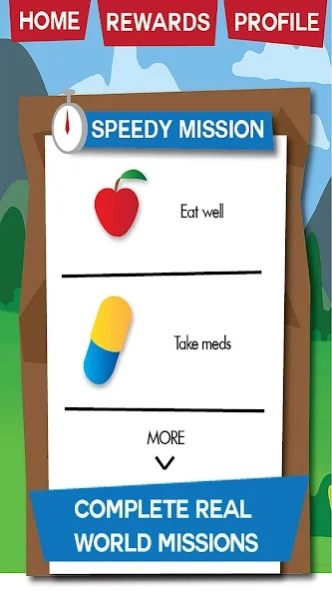
Play mini games and undertake real world challenges to keep your heart healthy!
Adopt your digital heart, play mini games, undertake real world challenges and quizzes to keep your digital (and real) “heart” healthy! This social game is aimed at patients entering outpatient cardiac rehabilitation after a cardiac event.
MyHeartMate allows you to work independently and/or with your healthcare professional to facilitate positive change to your lifestyle, such as increasing physical activity, reducing stress, improving diet and quitting smoking.
MyHeartMate also supports you to manage your medications as well as keeping a track of your blood pressure, cholesterol measures and blood sugar levels in a fun and functional way. All to improve health and reduce the risk of future heart problems!
Features:
Interact with educational material in a fun and individualized manner
Set and update challenges
Record and track progress
Be rewarded for real world missions
Participate in quizzes
Invite and motivate friends
Receive updates
Be incentivised to attend cardiac rehab and educational events
Easy to participate for full time workers or rural patients
Privacy Policy: https://myheartmate.com.au/privacy/
Game Page: https://myheartmate.com.au/
About My Heart Mate
The company that develops My Heart Mate is Elevator Entertainment. The latest version released by its developer is 1.0 .
To install My Heart Mate on your Android device, just click the green Continue To App button above to start the installation process. The app is listed on our website since 2020-07-21 and was downloaded 0 times. We have already checked if the download link is safe, however for your own protection we recommend that you scan the downloaded app with your antivirus. Your antivirus may detect the My Heart Mate as malware as malware if the download link to com.elevatorentertainment.myheartmate is broken.
How to install My Heart Mate on your Android device:
- Click on the Continue To App button on our website. This will redirect you to Google Play.
- Once the My Heart Mate is shown in the Google Play listing of your Android device, you can start its download and installation. Tap on the Install button located below the search bar and to the right of the app icon.
- A pop-up window with the permissions required by My Heart Mate will be shown. Click on Accept to continue the process.
- My Heart Mate will be downloaded onto your device, displaying a progress. Once the download completes, the installation will start and you'll get a notification after the installation is finished.
Program Details
System requirements
Download information
Pricing
Version History
version
posted on 2020-07-21
Minor fixes
version 1.3.1
posted on 2017-07-22
Bug fixes
Added FitBit functionality to the game
version 1.2.13
posted on 2016-11-12
Disclaimer
Official Google Play Link
We do not host My Heart Mate on our servers. We did not scan it for viruses, adware, spyware or other type of malware. This app is hosted by Google and passed their terms and conditions to be listed there. We recommend caution when installing it.
The Google Play link for My Heart Mate is provided to you by apps112.com without any warranties, representations or guarantees of any kind, so access it at your own risk.
If you have questions regarding this particular app contact the publisher directly. For questions about the functionalities of apps112.com contact us.
